AWS Import your own SSL Cert to CertificateManager

You need AWS CLI Tools and a IAM Role “AWSCertificateManagerFullAccess” added to this Maschine.

You must split your ssl cert in 3 pieces

aws iam upload-server-certificate --server-certificate-name MySSLCertonAWS --certificate-body file://mysslcert.crt --private-key file://myprivatekey.key --certificate-chain file://chain.crt --path /cloudfront/mydomain/


AWS CentOS Resize Disk

How to Resize a Disk from AWS CentoOS Image


Then create a new AMI. On boot, the cloud-init "growpart" module will grow the root partition to the total EBS size. Clearly, if that's not what you what, change or ignore that advice.
You can also fix this manually with a repartition and a reboot, but this will not automatically work as a new image.
# fdisk /dev/xvda <<END
u
d
n
p
1
2048
w
END
# reboot
# (after reboot)
# resize2fs /dev/xvda1
# df -h / # should now be entire EBS volume


aws_centos_disk_resize


S3 Statische Webseite

Statt selbst zu schreiben, verlinke ich hier 🙂


https://rasm.io/blog/2013/statische-website-auf-amazon-s3-hosten/


Kurz Beschreibung

Das Bucket muss so heißen wie die Domain. Dem Bucket sagen, wer alles zugreifen soll.

Am Besten per Policy

{
“Version”: “2012-10-17”,
“Statement”: [
{
“Sid”: “AddPerm”,
“Effect”: “Allow”,
“Principal”: “*”,
“Action”: “s3:GetObject”,
“Resource”: “arn:aws:s3:::mein.bucket.com/*”
}
]
}


Der DNS Eintrag vom S3 Bucket kann bis zu 20 min gehen.

Danach in Route 53 ein A Record anlegen und Alias auswählen und nun müßte dort das S3 Bucket auftauchen mit dem selben Namen.
Wenn nein, mal den Record anlegen mit irgendwas und dann nochmal aufrufen.

Dann ist man auch schon fertig.


S3 bucket policy access for a spezific user

Import you must give permission to the bucket itself and /*


{
“Version”: “2012-10-17”,
“Statement”: [
{
“Sid”: “Stmt1333333300”,
“Effect”: “Allow”,
“Action”: [
“s3:DeleteObject”,
“s3:GetObject”,
“s3:PutObject”,
“s3:GetObjectAcl”,
“s3:PutObjectAcl”
],
“Resource”: [
“arn:aws:s3:::my.bucket.com/*”,
“arn:aws:s3:::my.bucket.com”
]
}
]
}

http://stackoverflow.com/questions/38774798/accessdenied-for-listobjects-for-s3-bucket-when-permissions-are-s3

quic webserver and client

You don´t know what is quic?


Please read these excellent post

Google’s QUIC protocol: moving the web from TCP to UDP

You are using Chrome ? Open a new Tab and type  chrome://net-internals/#quic

Please Check your Firewall Port UDP/443 so that Traffic is Outgoing.

No time for read the blog post?

Podcast about quic and some other things

http://podcast.sysca.st/podcast/4-curl-libcurl-future-web-daniel-stenberg/

More Details for Chrome or Iron User

https://www.chromium.org/quic

You want run on your own Server?

the only webserver that can do that

https://github.com/mholt/caddy/wiki/QUIC

http://devsisters.github.io/goquic/

thx to Mattias Geniar 


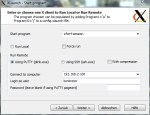
xming 5 start xubuntu desktop

Xming is a nice tool, to connect from a Windows Desktop to a Linux Desktop.

You are using XFCE and would start the Desktop and not a Application?

Short Version => under start a Program use xfce4-session

Long Version