In the Windows environment, certain tasks require administrative privileges to be performed. However, starting a service doesn’t always require such privileges. This post will guide you through a simple solution that allows you to start a service without administrator rights.
Introduction
Normally, to start or stop a service in Windows, you’d need to have administrative rights. This can pose a challenge if you don’t have these permissions. But don’t worry, there are many ways to overcome this issue.
The Solution: Service Security Editor
During my search for a solution, I came across a very handy tool called the Service Security Editor on a Stack Overflow post.
The Service Security Editor is an easy-to-use tool that provides a graphical user interface (GUI) to configure access rights. With it, you can grant specific users the ability to start or stop services without giving them full administrative rights. It’s a powerful tool for managing service permissions in a granular way.
You can download the Service Security Editor from the official website.
Here’s a brief guide on how to use the Service Security Editor:
Choose your user: First, select the user account that you want to grant permissions to.
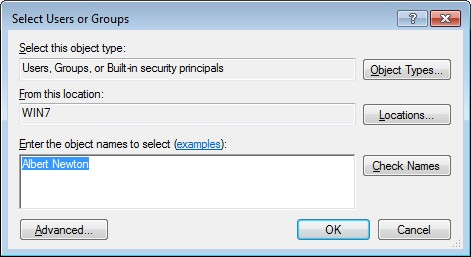
Define permissions: Next, configure what actions this user should be able to perform. In this case, we’re granting the user the ability to start and stop services.


Now, the selected user can start and stop services without needing administrative rights.
 Konkretor Blog, IT Stuff and more